
Marketplace Integration: Connecting Your Game to the NFT Economy

deps
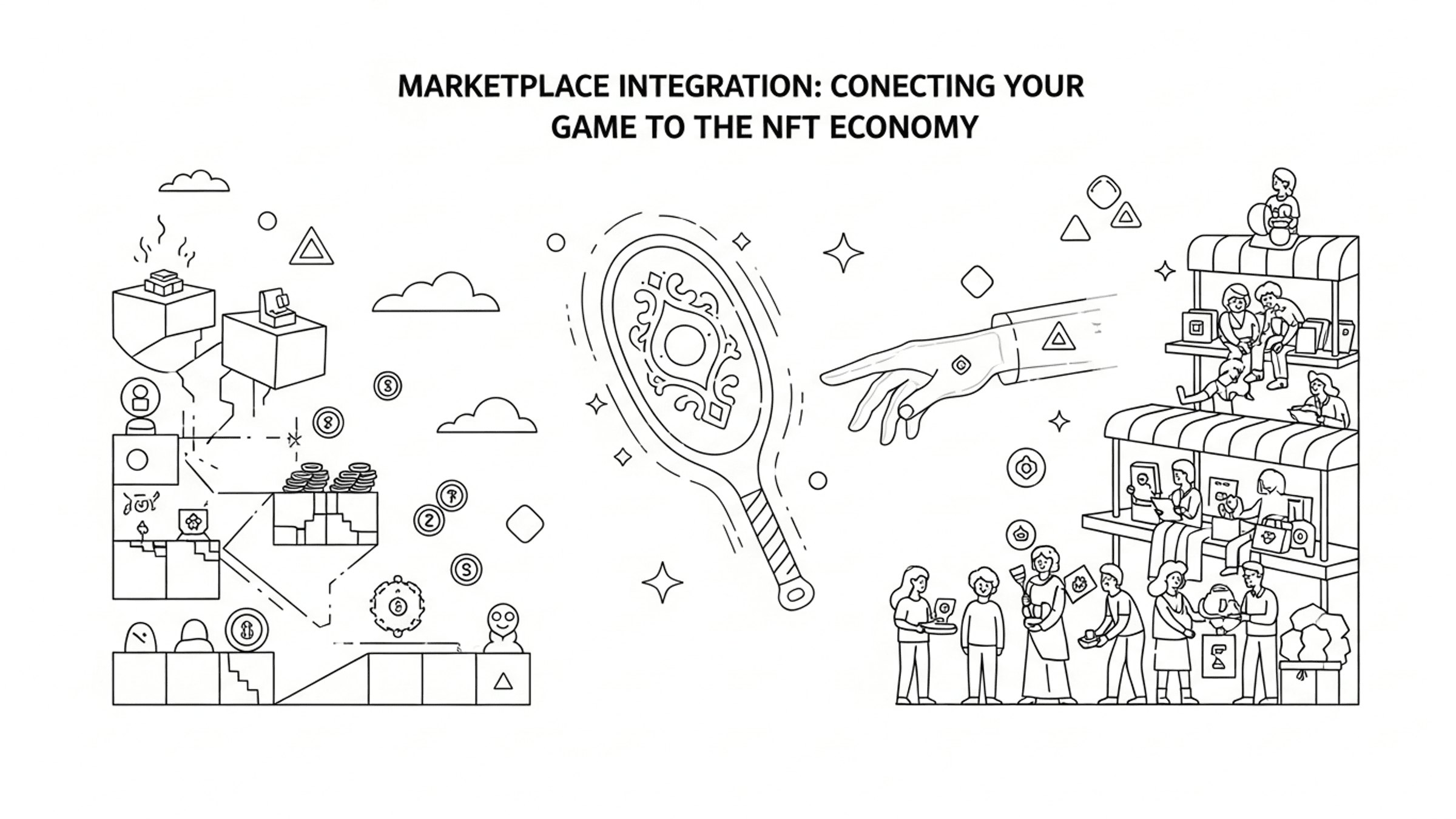
Your player has just minted a Legendary Paddle as an NFT. The minting popup displays "Success!" accompanied by a satisfying animation. The player then taps "View on ForTem marketplace"... but what happens next with their new game NFT?
From the game's perspective, the item is now an NFT. However, the marketplace perceives the start of a completely new lifecycle for the NFT game asset. The NFT resides in the player's wallet, awaiting listing on the NFT marketplace. Perhaps someone makes an offer. Maybe it is listed in a kiosk. Maybe it sells for 10 SUI. Perhaps the buyer redeems it within their own game.
All of this occurs outside your game. Consequently, your game needs to gracefully handle each of these NFT states.
This is Part 6 of the "Building an NFT Marketplace for Your Game" series. Articles 3-4 constructed the path out of the game (minting NFTs). Article 5 built the path back in (NFT redemption). This article addresses the space between — the NFT marketplace itself and how your game interacts with it.
The NFT Status State Machine
Every NFT minted through ForTem follows a predictable lifecycle. Understanding this state machine is fundamental to NFT marketplace integration for your game.
# NFT Status Lifecycle
#
# PROCESSING ──► MINTED ──► KIOSK_LISTED ──► REDEEMED
#                  │              │
#                  │              ▼
#                  │        OFFER_PENDING ──► REDEEMED
#                  │
#                  └──► REDEEMED (owner reclaims)
Here's what each NFT status implies for your game:
| Status | What Happened | Where It Happens | Game's Responsibility |
|---|---|---|---|
PROCESSING | Blockchain transaction in progress | Sui network | Display loading indicator, poll for completion |
MINTED | NFT exists on-chain | Player's wallet | Designate item as NFT, disable in-game selling |
KIOSK_LISTED | Player listed item on the ForTem NFT marketplace | ForTem | Item locked, display "LISTED" in inventory |
OFFER_PENDING | A purchase offer has been made on the NFT marketplace | ForTem | Item locked, continue to display "LISTED" |
REDEEMED | NFT burned, redemption code generated | Sui network | Enable in-game redemption (Article 5) |
The first two statuses (PROCESSING, MINTED) were covered in Articles 3-4 (NFT Minting). The final status (REDEEMED) was covered in Article 5 (NFT Redemption). This article centers on the three middle statuses — your game's actions when an NFT is actively present on the marketplace.
The mapStatus() Design Decision
Here's the first architectural question you'll encounter: how granular should your game's NFT status tracking be?
Examine the mapStatus() method in ForTemService:
// core/fortem/fortem-service.ts

private mapStatus(status: string): MintingStatus {
  switch (status.toUpperCase()) {
    case 'PROCESSING':
      return MintingStatus.PROCESSING;
    case 'MINTED':
      return MintingStatus.MINTED;
    case 'REDEEMED':
      return MintingStatus.MINTED; // Treat redeemed as minted for our purposes
    case 'OFFER_PENDING':
    case 'KIOSK_LISTED':
      return MintingStatus.MINTED;
    default:
      return MintingStatus.PENDING;
  }
}KIOSK_LISTED, OFFER_PENDING, and even REDEEMED all map to MintingStatus.MINTED. Initially, this might seem incorrect. Why consolidate five distinct ForTem NFT statuses into what amounts to three game statuses?
Compare the game's enum to ForTem's complete lifecycle:
// core/fortem/types.ts

export enum MintingStatus {
  IDLE = 'idle',
  PENDING = 'pending',
  PROCESSING = 'processing',
  MINTED = 'minted',
  FAILED = 'failed',
}
Five values, yet none for KIOSK_LISTED or OFFER_PENDING. This is intentional.
The reasoning: Your game primarily cares about two things: (1) whether the item is currently an NFT, and (2) whether it's in the process of becoming one. Everything that transpires on the NFT marketplace — listings, offers, trades — is ForTem's domain. The game doesn't require distinct reactions to KIOSK_LISTED versus OFFER_PENDING. In both situations, the item exists as an NFT on-chain, and the player cannot utilize it within the game.
If you broadened the enum to monitor every marketplace state, you'd necessitate:
- Additional UI states within the inventory
- Polling logic for detecting NFT marketplace transitions
- State synchronization between ForTem and your game
- Handling edge cases when states shift mid-session
What benefit would justify all that complexity? The player is already aware their item is on the marketplace – they listed it themselves on ForTem's website. Your game simply needs to indicate "this item is an NFT" and stay out of the way.
Architecture Principle: Align your internal state model with the actual decisions your code makes. If two external states result in the same code execution path, treat them as the same internal state.
Inventory UI: Reflecting Marketplace State
Once an item transitions to an NFT, the inventory should communicate three key pieces of information: this item is special, it's not available for normal use, and here's why.
The NFT Badge
Each NFT item receives a purple badge in the top-right corner of its inventory card:
// scenes/inventory.ts

// NFT badge if applicable
if (item.isNFT) {
  const nftBadge = this.add.graphics();
  nftBadge.fillStyle(0x9b59b6, 0.8);
  nftBadge.fillRoundedRect(width / 2 - 50, -height / 2 + 5, 40, 18, 4);
  container.add(nftBadge);

  const nftText = this.add.text(width / 2 - 30, -height / 2 + 14, 'NFT', {
    fontSize: '11px',
    fontFamily: 'Righteous, Arial',
    color: '#ffffff',
  }).setOrigin(0.5);
  container.add(nftText);
}
The badge remains visible regardless of the player's active tab. It's a consistent visual indicator that this item has crossed over from the game world to the blockchain.
The LISTED Button State
The equip button gains a third state when an item is an NFT:
// scenes/inventory.ts

const isEquipped = economy.isEquipped(item.id);
const isListed = item.isNFT; // NFT items are listed on marketplace

const bgColor = isListed
  ? COLORS.TEXT_DISABLED
  : (isEquipped ? COLORS.SUCCESS : COLORS.PRIMARY);

let buttonText = 'EQUIP';
if (isListed) {
  buttonText = 'LISTED';
} else if (isEquipped) {
  buttonText = 'UNEQUIP';
}
Note const isListed = item.isNFT. This is another intentional simplification. We don't verify if the item is actually listed on ForTem's kiosk. We treat every NFT item as "listed" because, from the game's standpoint, the distinction is irrelevant:
| Actual State | Game Shows | Why |
|---|---|---|
MINTED (in wallet, not listed) | LISTED | Item is on-chain, cannot be equipped |
KIOSK_LISTED (for sale) | LISTED | Item is on-chain, cannot be equipped |
OFFER_PENDING (trade in progress) | LISTED | Item is on-chain, cannot be equipped |
In all three scenarios, the item exists on the Sui blockchain and shouldn't be equippable in-game. Displaying "LISTED" communicates "this item is on the marketplace" — which holds true for all NFT items, whether actively listed or simply residing in a wallet.
The button is also non-interactive when listed:
// scenes/inventory.ts

if (!isListed) {
  container.setInteractive(
    new Phaser.Geom.Rectangle(-width / 2, -height / 2, width, height),
    Phaser.Geom.Rectangle.Contains
  );

  const clickHandler = isEquipped ? () => this.unequipItem(item) : onClick;
  container.on('pointerdown', () => {
    // ... click animation + handler
  });
}
No setInteractive, no hover effects, no click handler. The button is visually present but functionally unresponsive. This avoids accidental equips and clearly indicates the item is locked.
Blocking In-Game Sales
NFT items must be restricted from being sold for in-game coins. This is crucial to prevent economic exploits:
// core/economy/economy-manager.ts

sellItem(itemId: string): number {
  const item = this.data.inventory.find(i => i.id === itemId);
  if (!item) return 0;

  // NFT items cannot be sold through in-game shop
  if (item.isNFT) return 0;

  const price = calculateItemPrice(item.itemType, item.rarity);
  const sellPrice = Math.floor(price * 0.5); // 50% sell value
  // ...
}
Why is this check necessary? Without it, a player could:
- Mint an Epic Paddle as an NFT (item now on the blockchain)
- Sell the "NFT version" in the inventory for coins
- The NFT remains available on ForTem and can be sold for SUI
- Achieve double value: coins from in-game sale + SUI from marketplace sale
The if (item.isNFT) return 0 safeguard prevents this exploit. Once an item enters the NFT economy, the marketplace is the sole avenue for extracting value. The in-game coin economy and the NFT economy are separate systems with a one-way gateway between them.
The inventory UI also enforces this restriction at the display level. The SELL button is displayed only for non-NFT items:
// scenes/inventory.ts

} else if (!item.isNFT) {
  // Show SELL button only for non-NFT items
  if (item.quantity > 1) {
    const sellControls = this.createSellControls(/* ... */);
    container.add(sellControls);
  } else {
    const sellBtn = this.createSellButton(/* ... */);
    container.add(sellBtn);
  }
}
Defense in depth: even if a player somehow circumvented the UI, EconomyManager.sellItem() would reject the transaction.
The Marketplace Entry Gate: canMintItem()
Before an item can enter the NFT marketplace, it must pass eligibility checks. This gatekeeper function, conceptually introduced in Article 2, is now implemented in code:
// core/economy/economy-manager.ts

canMintItem(itemId: string): { canMint: boolean; reason?: string } {
  const item = this.data.inventory.find(i => i.id === itemId);
  if (!item) {
    return { canMint: false, reason: 'Item not found' };
  }

  // Already an NFT
  if (item.isNFT) {
    return { canMint: false, reason: 'Already an NFT' };
  }

  // Stacked items cannot be minted
  if (item.quantity > 1) {
    return { canMint: false, reason: 'Cannot mint stacked items' };
  }

  // Currently minting
  if (item.nftMetadata?.status === MintingStatus.PENDING ||
      item.nftMetadata?.status === MintingStatus.PROCESSING) {
    return { canMint: false, reason: 'Minting in progress' };
  }

  // Check NFT eligibility based on definition
  const def = ITEM_DEFINITIONS[item.itemType];

  if (def.nftEligible === 'never') {
    return { canMint: false, reason: 'This item type cannot be minted' };
  }

  if (def.nftEligible === 'epic-legendary') {
    if (item.rarity !== Rarity.EPIC && item.rarity !== Rarity.LEGENDARY) {
      return { canMint: false, reason: 'Only Epic and Legendary items can be minted' };
    }
  }

  return { canMint: true };
}
Five safeguards, each addressing a specific issue:
| Guard | Prevents |
|---|---|
item.isNFT | Double-minting the same item |
item.quantity > 1 | Minting stacked consumables (which would lose quantity) |
nftMetadata?.status | Re-minting while a previous mint is in-flight |
nftEligible === 'never' | Minting consumables/boosters (non-tradeable by design) |
nftEligible === 'epic-legendary' | Minting Common/Uncommon items (not valuable enough) |
The inventory UI employs this function to conditionally display the MINT button:
// scenes/inventory.ts

const canMint = economy.canMintItem(item.id);

if (canMint.canMint) {
  const mintBtn = this.createMintButton(width / 2 - 60, 0, item);
  container.add(mintBtn);
} else if (item.isNFT) {
  // Already minted - NFT badge shown above
} else if (item.nftMetadata?.status === MintingStatus.PENDING ||
           item.nftMetadata?.status === MintingStatus.PROCESSING) {
  const mintingText = this.add.text(width / 2 - 60, 0, 'Minting...', {
    fontSize: '12px',
    fontFamily: 'Righteous, Arial',
    color: COLORS_HEX.PRIMARY,
  }).setOrigin(0.5);
  container.add(mintingText);
}
Three visual states arising from a single function call: MINT button (eligible), "Minting..." text (in progress), or nothing (already an NFT or ineligible). The canMintItem() function serves as the single source of truth.
The ForTem NFT Marketplace Experience
When a player taps "View on ForTem marketplace" following minting, they completely exit your game. Understanding this external flow is crucial, as it dictates how your game needs to respond upon the player's return.
The Minting-to-Marketplace Bridge
After a successful mint, the popup displays a direct link:
// ui/nft-mint-popup.ts

const link = this.scene.add.text(0, 235, 'View on ForTem marketplace →', {
  ...FONT_STYLE.SMALL,
  fontSize: '14px',
  color: COLORS_HEX.PRIMARY,
}).setOrigin(0.5);
link.setInteractive({ useHandCursor: true });
link.on('pointerdown', () => {
  window.open('https://testnet.fortem.gg', '_blank');
});
This link is the handoff point. After this click, the process unfolds entirely on ForTem:
- Player connects Sui wallet on ForTem.gg
- NFT appears in their ForTem inventory (auto-detected from wallet)
- Player sets a price and lists in the kiosk → status becomes
KIOSK_LISTED - Buyer browses, finds the item, and purchases → status becomes
OFFER_PENDING - Transaction completes, buyer receives redemption code → status becomes
REDEEMED - Buyer enters redemption code in their game client (Article 5)
Your game is uninvolved in steps 2-5. ForTem manages all NFT marketplace logic: listing, price discovery, escrow, settlement, and redemption code generation.
Wallet Verification
The ForTem API offers a user verification endpoint that your game can utilize to confirm a wallet belongs to a registered ForTem user before minting:
# ForTem API - Verify User
# GET /api/v1/developers/users/:walletAddress

# Response:
# {
#   "data": {
#     "isUser": true,
#     "nickname": "6f0b8ffc0d11",
#     "walletAddress": "0x904bb53d..."
#   }
# }
In Puzzle Pocket, wallet verification occurs implicitly during minting. The recipientAddress in the mint request must correspond to a valid ForTem user. If not, the ForTem API rejects the mint. This is a design choice: prioritize immediate failure during minting rather than adding a separate verification step.
Error Messages as Marketplace Navigation
When a player enters a redemption code for an NFT that hasn't yet been burned, the error message serves as a navigational aid:
// supabase/functions/fortem-mint/index.ts

if (status !== 'REDEEMED') {
  return new Response(
    JSON.stringify({
      success: false,
      error: status === 'MINTED' || status === 'KIOSK_LISTED'
        ? 'Item not yet redeemed on ForTem. Please redeem it on the ForTem marketplace first.'
        : `Item status is ${status}. Only REDEEMED items can be claimed.`,
    }),
    { status: 400, headers: { ...corsHeaders, 'Content-Type': 'application/json' } }
  );
}
This isn't simply error handling — it's marketplace education. The player learns:
- Their code is valid (not "invalid code")
- The NFT is still present on-chain (not burned yet)
- They need to visit ForTem to complete the process
- Specifically, they need to "redeem" on ForTem (which initiates the burn)
Compare this to a generic "Redemption failed" message. The specific message eliminates a support ticket. The player knows precisely what to do next.
| Status Detected | Error Message | Player Action |
|---|---|---|
MINTED | "Please redeem on ForTem marketplace first" | Go to ForTem, initiate burn |
KIOSK_LISTED | "Please redeem on ForTem marketplace first" | Go to ForTem, delist, then burn |
OFFER_PENDING | "Item status is OFFER_PENDING..." | Wait for trade to complete |
PROCESSING | "Item status is PROCESSING..." | Wait for mint to finish |
Why Delegation Works
The most significant architectural decision in this entire series is what we chose not to build.
We refrained from building:
- A listing UI within the game
- Price management or auction mechanics
- Escrow or payment processing
- Trade history or transaction feeds
- Wallet integration beyond address input
We delegated all of this to ForTem. Here's why:
Complexity: A basic marketplace necessitates escrow, dispute resolution, price feeds, and regulatory compliance. ForTem dedicates an entire team to handling this. Building it yourself constitutes months of work, diverting resources from making your game engaging.
Security: Marketplace transactions involve real money. Every endpoint introduces an attack surface. ForTem manages security audits, key management, and Sui smart contract interactions. Your Edge Function only needs to verify a status field.
Regulation: NFT marketplaces face evolving legal requirements. Delegating to ForTem transfers the regulatory burden to a platform designed to handle it.
Player experience: Players interested in trading NFTs are already familiar with marketplace UIs. ForTem provides a purpose-built trading interface. Your game provides a purpose-built gaming interface. Each excels at its specific function.
What your game should own:
| Your Game Owns | ForTem Owns |
|---|---|
Minting eligibility (canMintItem) | Listing and kiosk management |
| Item identity (type, rarity, attributes) | Price discovery and negotiation |
Inventory state (isNFT flag) | Escrow and settlement |
| Redemption code processing | Redemption code generation |
| In-game economy isolation | On-chain transaction execution |
The boundary is clear: your game governs the entry and exit points of the NFT lifecycle. Everything in between falls under ForTem's responsibility.
Design Principle: In a game-marketplace integration, your game acts as the producer and consumer of NFTs. The marketplace serves as the exchange. Avoid trying to encompass all three roles.
The Complete Marketplace Cycle
Having covered all six articles, the full lifecycle is now evident:
# The Complete NFT Lifecycle
#
# ┌─────────────────────────────────────────────────────┐
# │                    YOUR GAME                        │
# │                                                     │
# │  [Game Item] ──► canMintItem() ──► handleMint()     │
# │       ▲              (Art. 2)       (Art. 3-4)      │
# │       │                                │            │
# │  handleRedeem()                        │            │
# │    (Art. 5)                            ▼            │
# │       ▲          ┌──── FORTEM MARKETPLACE ────┐     │
# │       │          │                            │     │
# │       │          │  MINTED                    │     │
# │       │          │    ▼                       │     │
# │       │          │  KIOSK_LISTED              │     │
# │       │          │    ▼                       │     │
# │       │          │  OFFER_PENDING             │     │
# │       │          │    ▼                       │     │
# │       │          │  REDEEMED ──► redeem code  │     │
# │       │          └────────────────────────────┘     │
# │       │                                │            │
# │       └────────────────────────────────┘            │
# │                                                     │
# └─────────────────────────────────────────────────────┘
Each article contributed a specific component:
| Article | Contribution | Code Entry Point |
|---|---|---|
| 1 | Vision and architecture | — |
| 2 | Item economy and NFT eligibility | ITEM_DEFINITIONS[].nftEligible |
| 3 | Edge Function infrastructure | fortem-mint/index.ts |
| 4 | Minting UI flow | NFTMintPopup + handleMint() |
| 5 | Redemption flow | RedeemPopup + handleRedeem() |
| 6 | Marketplace integration | mapStatus() + inventory UI + canMintItem() |
Deployment Checklist
-
mapStatus()handles all five ForTem statuses without crashing on unknown values - NFT badge renders on all inventory cards where
isNFT === true - EQUIP button displays "LISTED" and is non-interactive for NFT items
- SELL button is hidden for NFT items
-
sellItem()andsellItems()reject NFT items at the service layer -
canMintItem()blocks double-minting, stacked items, and in-progress mints - MINT button only appears when
canMintItem().canMint === true - "Minting..." text appears during
PENDING/PROCESSINGstates - "View on ForTem marketplace" link opens in new tab after successful mint
- Error messages distinguish
KIOSK_LISTEDfromREDEEMEDstatus
What Comes Next
The NFT marketplace integration is now complete. Items can leave the game, trade on the marketplace, and return to new owners. However, deploying this to real players introduces a new set of challenges.
Article 7: Production Lessons — rate limiting, token management, the mistakes made during shipping to real players, and the security hardening that differentiates a demo from a functional product.
Try It Yourself
- Mint an item in Puzzle Pocket and observe the "LISTED" state in your inventory.
- Verify that the EQUIP and SELL buttons are correctly disabled for NFT items.
- Visit testnet.fortem.gg to view your minted item on the NFT marketplace.
- Attempt to enter a redemption code for an item that hasn't been burned — observe the specific error message.
- Consider your own game: which marketplace operations should you control, and which should you delegate?
The most challenging aspect of marketplace integration isn't the code itself. It's discerning where your game's domain ends and the marketplace's begins.
This is Part 6 of the "Building an NFT Marketplace for Your Game" series. Next up: Production lessons and security hardening.